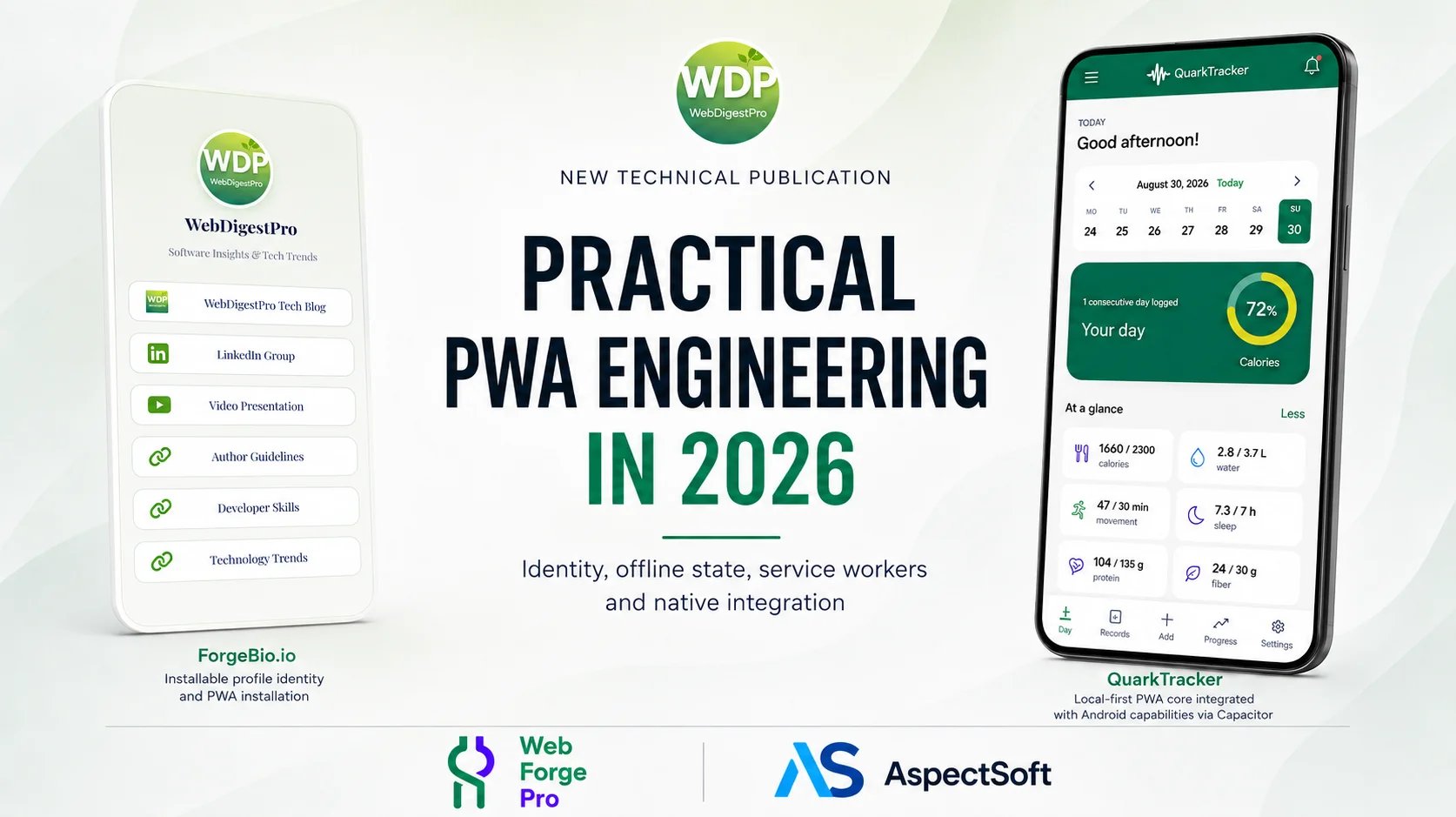
Progressive Web Apps in 2026 can combine the reach of the web with installed-app behavior, offline operation, persistent data and native integration, making them a capable foundation for long-lived software.
A practical technical guide to the engineering challenges that emerge when PWAs become persistent, production software.
WebDigestPro technical guide | September 2026
Dimitrios S. Sfyris. Founder and Senior Software Architect at AspectSoft. His professional work spans software architecture, IT and information security, and systems integration.
Joaquim Llort. Co-Founder at Web Forge Pro & ForgeBio.io, working across custom development, digital architecture and PWA products.
A Progressive Web App, or PWA, is a web application built with standard web technologies that can also use features such as a Web App Manifest and a service worker to behave more like installed software. Depending on browser and operating-system support, a PWA can appear in an app launcher or on a home screen, open in a standalone window, cache resources for offline use, retain local data and access selected device capabilities through web APIs. The term describes a delivery and integration model; it does not prescribe how the application stores data, communicates with servers or earns revenue.
Because PWA technology does not prescribe a single application architecture, decisions about state, storage, synchronization, offline behavior and native integration remain part of the product’s engineering design. Browser tabs and installed windows may coexist, service workers can outlive the pages that registered them, and persisted state can survive many releases. Those characteristics make a production PWA a long-lived application rather than a collection of pages loaded afresh on each visit.
Several changes make that lifecycle especially visible in 2026. Baseline compatibility data is now integrated into browser-development tooling, Trusted Types has reached broad support across the major browser set tracked by Baseline, and recent Chrome releases changed installed-app navigation and Web App Manifest updates. At the same time, Background Sync and newer service-worker routing APIs remain unevenly supported. Together, these changes make it easier to distinguish capabilities that are broadly interoperable from those that are newly available or still limited to particular browsers.
Browser Compatibility and Support
The phrase “modern browser” is too imprecise to describe compatibility for a production PWA. Chrome, Edge, Firefox and Safari do not ship every web API at the same time, and older browser and operating-system versions remain in use. The Web Platform Baseline initiative provides a more specific vocabulary by tracking support across Safari on macOS and iOS, Chrome on desktop and Android, Edge on desktop, and Firefox on desktop and Android. A feature is “newly available” when current stable releases across that browser set support it; after 30 months of cross-browser availability it becomes “widely available.” Features that have not yet reached the full set remain “limited availability.”
Baseline data now appears directly in developer tooling. The former Lighthouse PWA category was removed in Lighthouse 12, while the Baseline Features audit identifies APIs that fall outside a selected interoperability target. That diagnostic describes browser support, not application correctness. It cannot reveal whether an older client can read current persisted data, whether an open tab remains coherent after a service-worker update, or whether the application remains usable under storage and memory pressure on real hardware.
The supported browser and device range therefore affects engineering choices long before differences appear in the interface. A Chromium-focused enterprise deployment can rely on a different capability set from a consumer product that expects comparable behavior across Chrome, Edge, Firefox and Safari. Storage, background work, navigation, installation, security controls and test coverage all follow from that support range.
Application Identity and Installation
The Web App Manifest does more than supply installation metadata. It helps define the identity and launch behavior of an installed PWA: a stable manifest id identifies the installed application, while start_url and scope define its launch location and navigation boundary. URL design also remains important after installation because deep links can arrive from the browser, another application, a notification or the operating system.
When one origin exposes several profiles or workspaces as separately installable applications, the manifest can be generated from tenant data rather than shipped as one static file. In that design, installed identity becomes part of the server-side data model. The manifest id distinguishes the installed application, while scope defines the URL range associated with it; names, icons and launch URLs can be derived from the same authoritative tenant record.
A generated manifest also changes how icons and tenant branding are handled. If an icon URL carries a version token, the token can remain stable while the image is unchanged and change when the image changes; a per-request timestamp would instead defeat browser caching. Tenant names and icons can be resolved from the stored tenant record rather than accepted from arbitrary request parameters, preventing a crafted URL from producing an installation that appears to belong to another tenant.
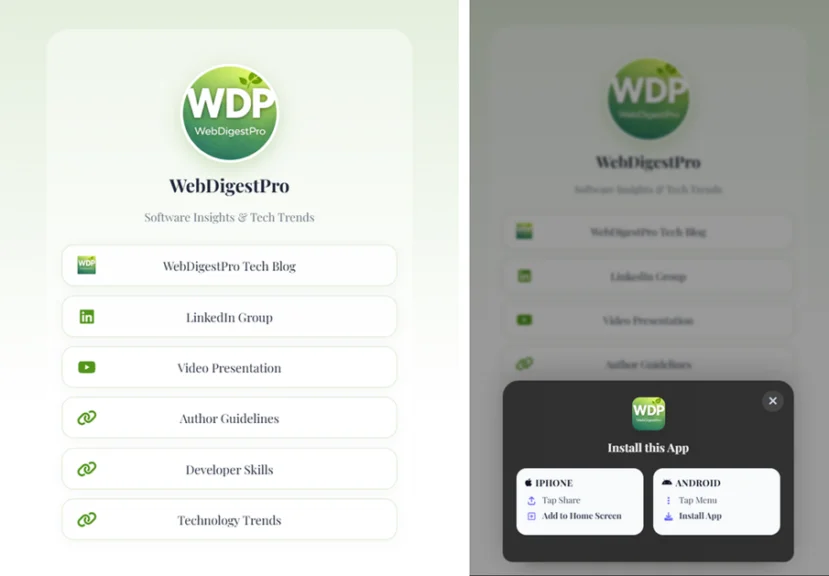
Installation metadata is not interpreted identically by every browser and operating system. On iOS and iPadOS, an apple-touch-icon declared in the document can take precedence over icons in the Web App Manifest for Home Screen installation. Installation UI differs as well: the beforeinstallprompt event can support a custom install action in Chromium-based browsers, but it is not available on iOS, where installation remains a browser-mediated Add to Home Screen flow.
The more awkward failure is not a missing platform-specific tag but a duplicated one. If a general site template already emits a generic apple-touch-icon and the tenant view adds its own, the platform chooses between them — and it may choose the generic one. On an origin serving many installable identities, that produces an installation carrying the provider’s icon instead of the one the tenant configured, with no error anywhere to indicate it.
A manifest can validate correctly while the installed application still shows an unexpected name, icon, launch path or scope on a target device. Real-device installation can expose failures that manifest inspection or a desktop audit does not reveal.
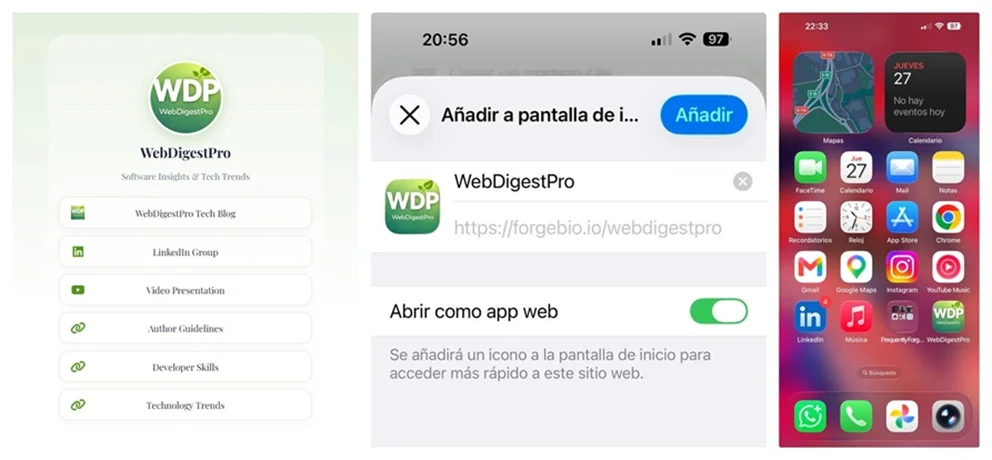
Recent Chrome releases made installed navigation and manifest updates more explicit parts of release engineering. Chrome 139 introduced desktop navigation capture, allowing eligible links to route into an installed PWA instead of opening as ordinary browser tabs. Chrome 144 made most Web App Manifest updates more deterministic, while names and icons still receive special handling. Manifest metadata and versioned identity assets therefore participate in the application lifecycle rather than remaining static decoration.
“An installed application stops being a website someone visits and becomes something that lives on their phone, among the things they use every day. That shift is not made by the manifest. It is made by trust — and trust is lost in the details no audit ever flags in red.”
Joaquim Llort — Web Forge Pro & ForgeBio.io
Service Workers, Caching and Release Lifecycles
Service workers add another independent lifecycle. Static shell assets, navigations, API responses, media and user-generated content have different freshness and failure characteristics, so a single caching rule rarely fits every request. Cache Storage maps naturally to Request/Response resources, while precaching trades startup resilience against bandwidth, cache growth and stale-content risk. Workbox remains useful where standardized caching strategies are preferable to maintaining the full service-worker lifecycle directly.
Navigation Preload is one mature example of a performance feature layered onto that lifecycle. It can begin a navigation request while the service worker starts, reducing worker-startup delay. Service Worker Static Routing can bypass worker startup for declared routes, but support remains narrower. Both can improve performance where available without becoming prerequisites for application correctness.
Version overlap is normal in an installed PWA. An older page, a waiting service worker, a newer asset cache and an earlier persisted-data schema can coexist temporarily. Application-shell versions, data schemas and API contracts therefore evolve on related but distinct timelines. Immediate worker activation through skipWaiting() can shorten overlap, but it can also expose an older page to a newer worker. Recording application, service-worker and schema versions is often enough to turn an apparently random failure into a diagnosable version-skew problem.
The effect of skipWaiting() depends on the resources and cache policy that the new worker takes over. A newly installed worker can activate while pages loaded under the previous version remain open. If an application shell references versioned assets and activation immediately removes the previous cache, those older pages may continue requesting resources that are no longer available.
Cache lookup can also return the wrong asset version when a query parameter carries the version identifier. Cache.match() includes the URL query string by default; ignoreSearch: true deliberately treats query variants as the same resource. That is useful for navigations whose query parameters do not change the document, but it can collapse two versioned asset URLs into one cache match.
Immediate activation can still fit release strategies in which the precache is small, navigations remain network-first and older resources are not removed before open clients can reload. If activation also calls clients.claim(), the new worker may begin controlling already-open pages, which makes application, worker and cache versions useful diagnostic context during the transition.
Local State, Coordination and Recovery
Browser storage now covers several different workload types. Cache Storage is designed around network requests and responses. IndexedDB remains the general-purpose store for durable structured records, indexes and transactions. The Origin Private File System, or OPFS, suits file-oriented and higher-throughput local workloads, including some SQLite- and WebAssembly-based designs. localStorage remains synchronous and comparatively limited, which keeps it better suited to small preferences than to data that needs indexing, migration or transactional updates.
Storage is also subject to quota and device pressure. Available capacity varies by browser, operating system and usage conditions, and long-lived mobile installations can encounter eviction. navigator.storage.estimate() exposes current usage and quota, while navigator.storage.persist() can request more durable treatment where supported. Neither API is a recovery mechanism, so applications in which local data has lasting value often pair browser persistence with export, synchronization, backup or restore.
Shared-origin concurrency appears when the same application is active in several contexts. Multiple tabs, an installed window, a service worker and background activity can reach the same persisted state and collide during migrations, outbox processing or cache maintenance. The Web Locks API provides origin-scoped coordination across tabs and workers, making clear that durable local state is also a concurrency problem.
Offline Writes, Retries and Reconciliation
Offline reading and offline writing have different correctness models. Cached content can often be displayed without resolving authority, but a write introduces questions about commitment, ordering, retries and duplication. A client may know that an operation was recorded locally without knowing whether a server accepted it; connectivity can also fail after a server commits a request but before the response reaches the client.
Server-backed PWAs commonly represent that uncertainty with durable operation records. Stable operation identifiers, explicit pending or completed states and idempotent server handling allow a retry to be recognized rather than duplicated. Reconciliation can occur when the application returns to the foreground or when connectivity returns. Background Sync can supplement that process on supporting browsers, but it is not available across all major browsers, and Periodic Background Sync remains experimental.
The same uncertainty is why navigator.onLine is not an authoritative description of application connectivity. A device may report network access while the relevant endpoint is unreachable, and a multi-step operation can lose connectivity partway through. Retry policy, duplicate detection and reconciliation therefore arise from the network’s uncertain timing rather than from a simple online/offline flag.
Security, Permissions and Native Integration
A stateful installed PWA can contain substantial executable code and retain meaningful data for long periods, so browser security controls become part of the application design. Content Security Policy limits the sources and execution paths available to client code, while third-party scripts expand the authority present in the page. Client bundles remain observable and cannot safely hold embedded secrets. In server-backed applications, session design and credential lifetime also shape the impact of a client-side compromise.
Trusted Types became more relevant to cross-browser PWA security in 2026 because the API and its Content Security Policy integration reached the Baseline browser set in February. Trusted Types constrains dangerous DOM injection sinks by requiring values that reach them to pass through defined policies. Combined with Content Security Policy reporting, it provides browser-enforced protection against a class of DOM-based cross-site scripting errors.
Permissions create another source of state outside the application’s own data. Camera, notifications, geolocation and similar capabilities can be granted, denied or revoked independently, and browser policies can differ between installed and ordinary browsing contexts. A workflow that depends on those capabilities can therefore change behavior even when the application’s persisted state has not changed.
Some PWA-based products also use native Android or iOS APIs through a native container. Capacitor v8 provides a web-to-native runtime and plugin API. Native SDKs can then be exposed to web code through plugins for capabilities such as billing, document access, notifications and deep links. The bridge introduces a version boundary because the web application and native binary can evolve on different release schedules. Small serializable plugin contracts, explicit error states and versioned return shapes make mismatches between web and native versions easier to observe and diagnose.
Native services often expose state machines rather than a single success or failure result. Google Play Billing is a clear example: a purchase can move from PENDING to PURCHASED; a completed purchase may then require acknowledgement, while a later refund or revocation can remove the associated entitlement. Once a PWA-based application is distributed through an app store, native SDK versions, Android or iOS API levels and store-policy deprecations join browser compatibility and service-worker behavior in the release lifecycle.
Testing Long-Lived Installed PWAs
Installed applications accumulate states that ordinary interface testing does not naturally exercise: a first load before service-worker control, an update while an older tab remains open, a deep link into an installed window, an offline write followed by a duplicate retry, storage pressure, interrupted schema changes, corrupt imports, permission revocation, concurrent tabs and mobile suspend/resume. None is exotic on its own; the difficulty comes from combinations that emerge as the application persists across sessions and releases.
Observability makes those combinations diagnosable after release. Application version, service-worker version, schema version, display mode, storage failures, pending-operation age and native bridge errors provide context that a generic JavaScript stack trace often lacks. Real-user Core Web Vitals and error telemetry add signals from devices that differ from development environments, where warm caches, old persisted state and constrained hardware can expose behavior that a fresh local session never reveals.
Release Engineering
A production PWA release in 2026 can involve several versioned systems rather than a single web deployment. Browser compatibility defines the support target. The Web App Manifest defines installed identity and launch scope, while service workers introduce worker and cache-version overlap. Persistent storage adds quota, recovery and concurrency concerns; offline writes add transaction semantics; native containers can introduce a separate binary release cycle. Users experience those lifecycles as one application.
Compatibility data now makes it easier to see which capabilities have broad browser support and which remain progressive enhancements. IndexedDB, OPFS, Web Locks and Navigation Preload have broad support across the major browsers tracked by Baseline. Background Sync and Service Worker Static Routing remain narrower. A PWA can use those newer capabilities where available without making basic application correctness depend on them.
Authors’ Projects
The lifecycle issues above become easier to see in deployed software. The following projects illustrate how some of the engineering concerns discussed in this article appear in systems developed by the authors’ respective organisations.
Installable profile identity
ForgeBio.io, developed by Web Forge Pro, turns a public profile into an installable application: one address gathering a person’s links, documents and contact points, which a visitor can add to a home screen and open like another app. It is built for people and organisations whose presence is scattered across platforms and who want one address they control.
Its manifest is generated per profile, so each installed profile has its own application identity, name, icon and launch context. Public profile pages are designed without third-party requests: typography and interface assets are served from the same origin. The real-device sequence shown here illustrates the browser-mediated iOS installation step and the resulting launcher icon.
Local-first PWA and native integration
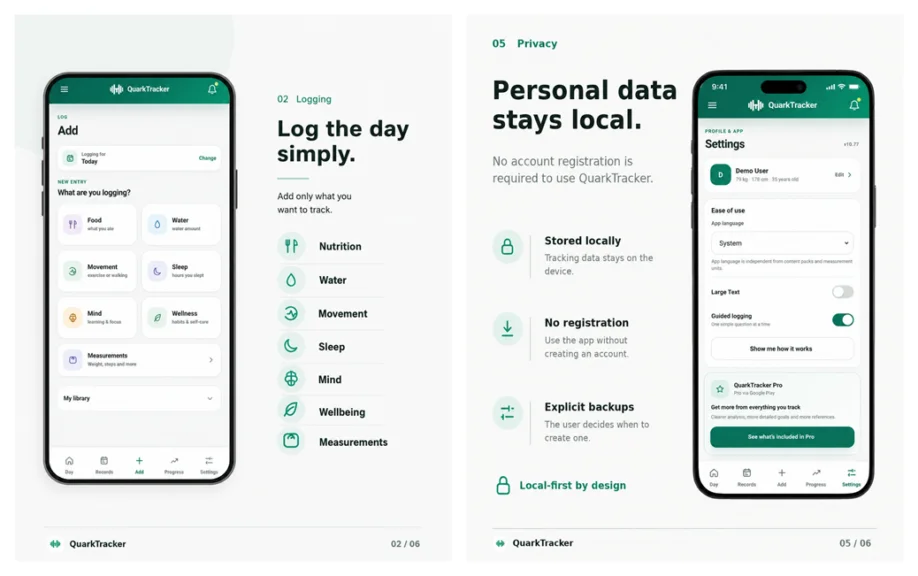
QuarkTracker, developed by AspectSoft, is a local-first personal tracking application built around a shared web application core delivered as a PWA and also packaged for Android through Capacitor. Tracking history, reference data, calculations and preferences are handled primarily by the application rather than depending on an account or cloud-synchronization layer.
Android availability: QuarkTracker is available on Google Play for Android.
Backups are explicit rather than implicit. An exported backup records a format identifier, state-schema version, application version and export timestamp, and imports check schema compatibility before accepting data. In the Android build, a focused native exporter hands the backup file to the system document picker so the user chooses its destination.
The two delivery modes deliberately have different lifecycle boundaries. The PWA delivery registers a versioned service worker for offline application-shell and cache behavior; the native Capacitor runtime does not register that worker. Focused Android bridge code instead exposes Google Play entitlement state and document export to the shared web application. The result is one product whose web state, PWA cache lifecycle, backup schema and native bridge contracts still have to evolve coherently across releases.
Related reading from WebDigestPro
These WebDigestPro articles provide useful context without duplicating the production-lifecycle focus of this article.
- The Evolution of Web Development: From HTML to Progressive Web Apps. An earlier primer on the web technologies and PWA concepts that lead into the lifecycle concerns discussed here.
- Where Does the Cache Go?. A focused software-architecture discussion of cache ownership and responsibility boundaries.
- Emerging Trends in Engineering a Faster and Greener Web. A complementary 2026 view of runtime efficiency, browser-facing performance and leaner web engineering.
References
- web.dev — Web Platform Baseline / Baseline 2026 — current 2026 interoperability guidance. Link
- web.dev — The Baseline Features audit is now available in Lighthouse — July 27, 2026. Link
- MDN — Trusted Types API — supported across the Baseline browser set since February 2026. Link
- Chrome for Developers — Navigation management into installed PWAs — Chrome 139 behavior. Link
- Chrome for Developers — A better way to update your web apps — Chrome 144; January 21, 2026. Link
- MDN — Background Synchronization API — not supported across all major browsers. Link
- MDN — Origin Private File System (OPFS) — broadly supported across the Baseline browser set. Link
- MDN — Web Locks API — broadly supported across the Baseline browser set. Link
- MDN — InstallEvent.addRoutes() — Service Worker Static Routing; not yet supported across all major browsers, updated July 2026. Link
- Capacitor Documentation — v8 — current version. Link
- Android Developers — Google Play Billing integration — current 2026 guidance. Link
- Android Developers — Google Play Billing Library version deprecation — current August 2026 guidance. Link
- MDN — Web app manifest id — unique installed-application identity and same-origin resolution. Link
- MDN — Making PWAs installable — install UI behavior and the limited availability of beforeinstallprompt, including no iOS support. Link
- Apple Developer — Safari web app guidance — Home Screen icon metadata and web app installation behavior on Apple platforms. Link
- web.dev — The service worker lifecycle — waiting, skipWaiting(), clients.claim() and version overlap. Link
- MDN — Cache.match() — query-string matching and the ignoreSearch option. Link
- GoogleChrome/lighthouse — PWA category removal in Lighthouse 12. Link
- Android Developers — Storage Access Framework and ACTION_CREATE_DOCUMENT for user-selected file export. Link
Connect with the Authors
Joaquim Llort
Personal LinkedIn · Web Forge Pro on LinkedIn · Web Forge Pro · ForgeBio.io
Dimitrios S. Sfyris
Personal LinkedIn · AspectSoft on LinkedIn · AspectSoft
Subscribe to our newsletter!






+ There are no comments
Add yours